 Ace Technology
Find companies that could benefit from your services.
The engine searches agreed sources, gathers available information and prepares results for review. Your team decides which companies match the target profile and are worth contacting.
OrganizeIT combines a B2B lead discovery engine and CRM for clients, work tasks and team activities. Works without AI, with an optional AI assistant.
Request a demonstration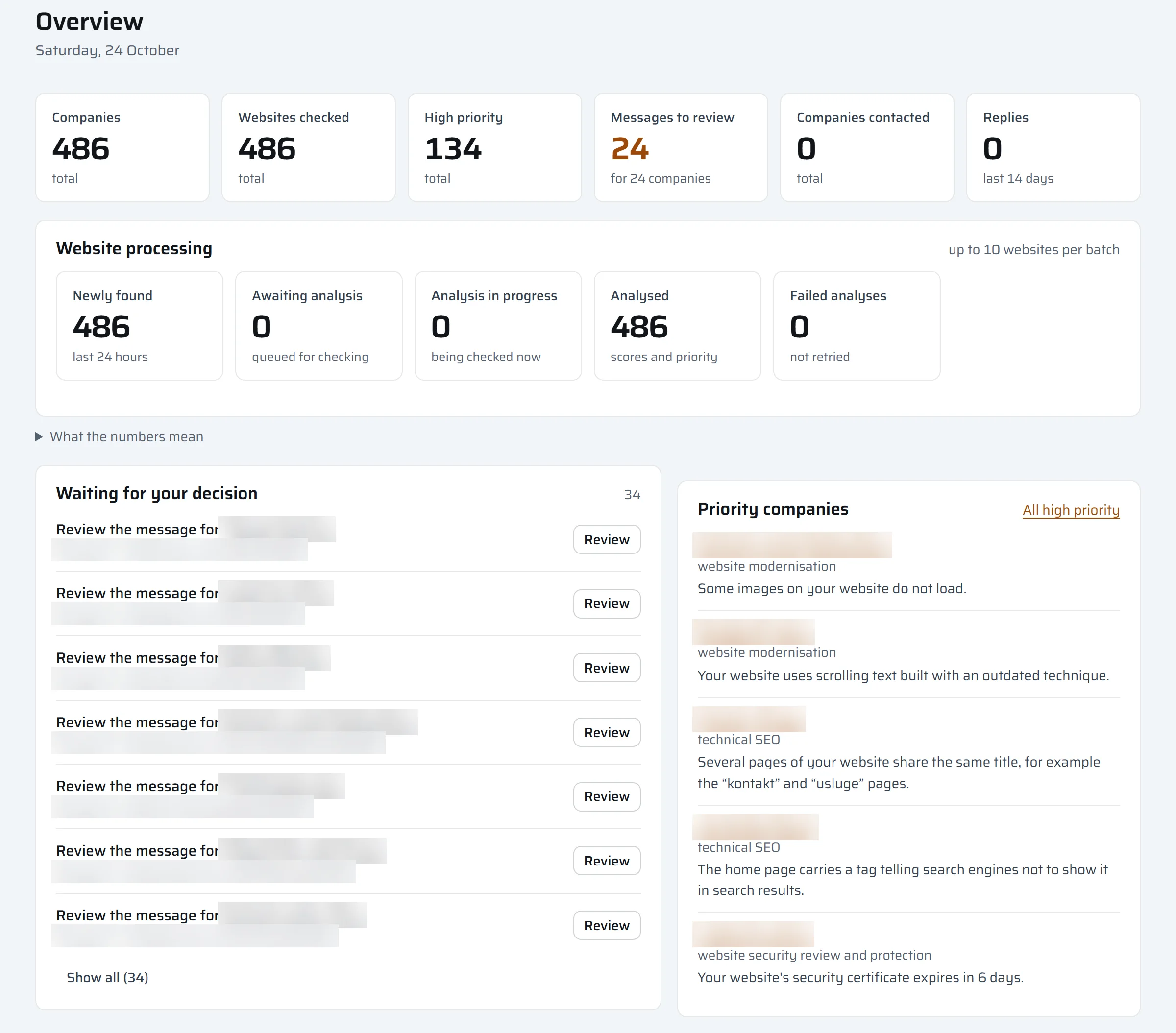
OrganizeIT brings together automated research into potential clients, known as leads, and a CRM for managing client relationships and tasks. The information you find stays connected to the work your team needs to do next.
The engine searches agreed sources, gathers available information and prepares results for review. Your team decides which companies match the target profile and are worth contacting.
The CRM connects client information, notes, status and work tasks. See who takes responsibility, what has been done and what comes next, including work with existing clients.
Teams do not all face the same problem. See where OrganizeIT could first help your business.
You want to research the market and find companies that could need your services. Start with search criteria and the results prepared by the engine.
Explore the engineInformation exists, but commitments are scattered across messages and spreadsheets. The CRM connects the client, next activity and responsible person.
Explore the CRMYou find promising companies and want research to turn into practical work. The engine and CRM connect an opportunity to a task someone takes on.
Follow an exampleProduct workflow visualisation
Research starts with criteria matched to your offer and target market. The engine searches agreed sources automatically, collects available company information and organises results for review. Your team gets a starting point for finding potential clients without repeating the same manual search for each company.
Use the engine to explore a new market, expand a prospect list or research companies for an existing offer. Results depend on the criteria and available sources, so we refine the setup around what your team finds useful in practice.
The CRM side of OrganizeIT helps manage work with prospects and existing clients. Company information, status, notes and agreed activities stay in one place. A client record provides context about completed work and the next step, without searching through separate messages and spreadsheets.
Tasks connect activities with responsibility. The team needs to know who takes a lead forward, who prepares a message or continues a conversation, and what remains open. OrganizeIT provides a shared view of work across research, sales and everyday client communication.
A task does not have to start with an engine search. Follow-ups with existing clients and outstanding tasks also belong in your team’s work overview.
Imagine your team introducing a new service to a particular group of companies. Here is how research can connect to the work that follows. The example is illustrative; the application screens below are real.
Agree the target group and criteria. The engine prepares available company information for review.
Review the information and note how the business could benefit from your services.
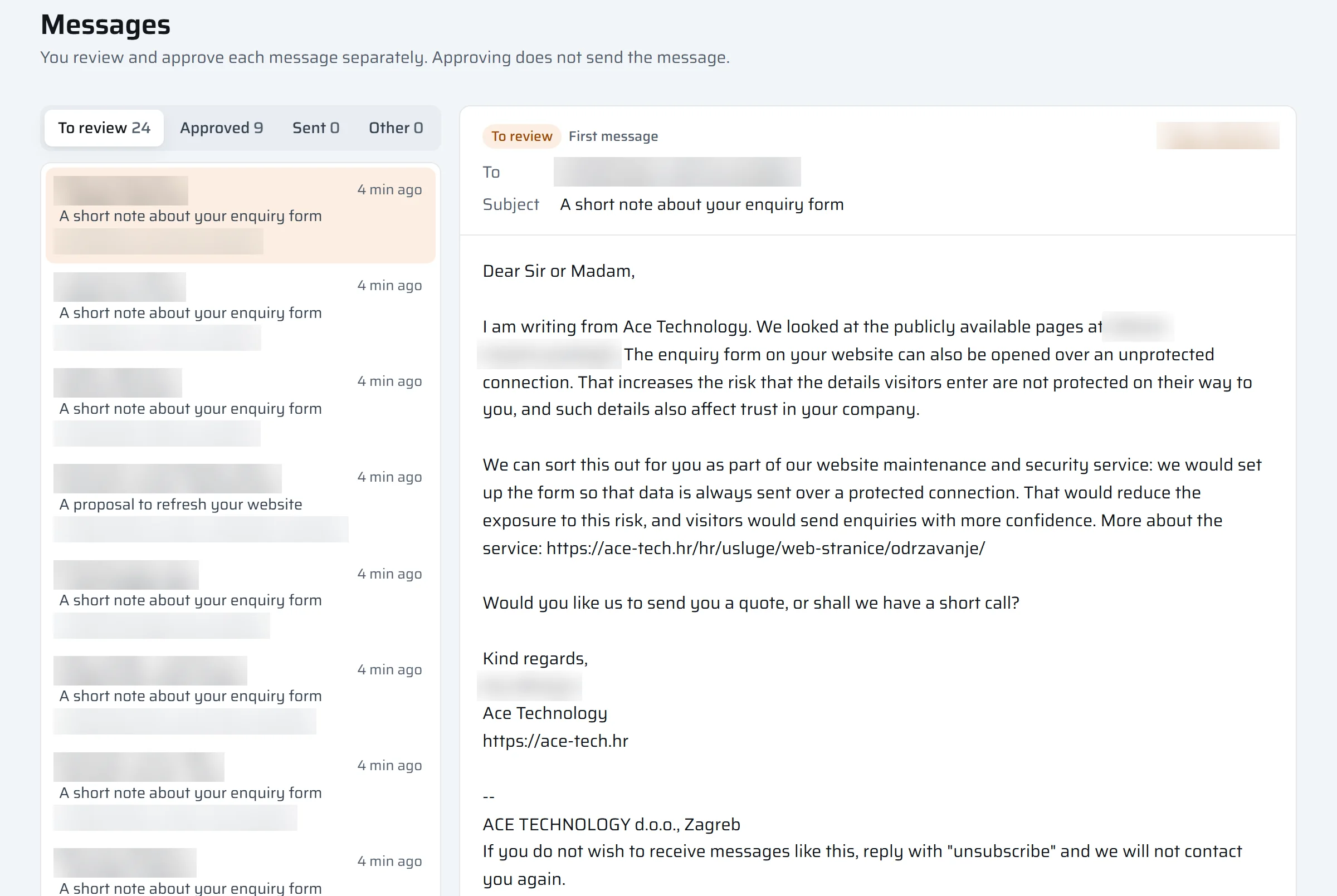
Connect the activity to a client and a responsible person. For messages, review and approval remain separate from sending.
After a conversation, record the agreement and the next task. A colleague can continue without repeating the company research.
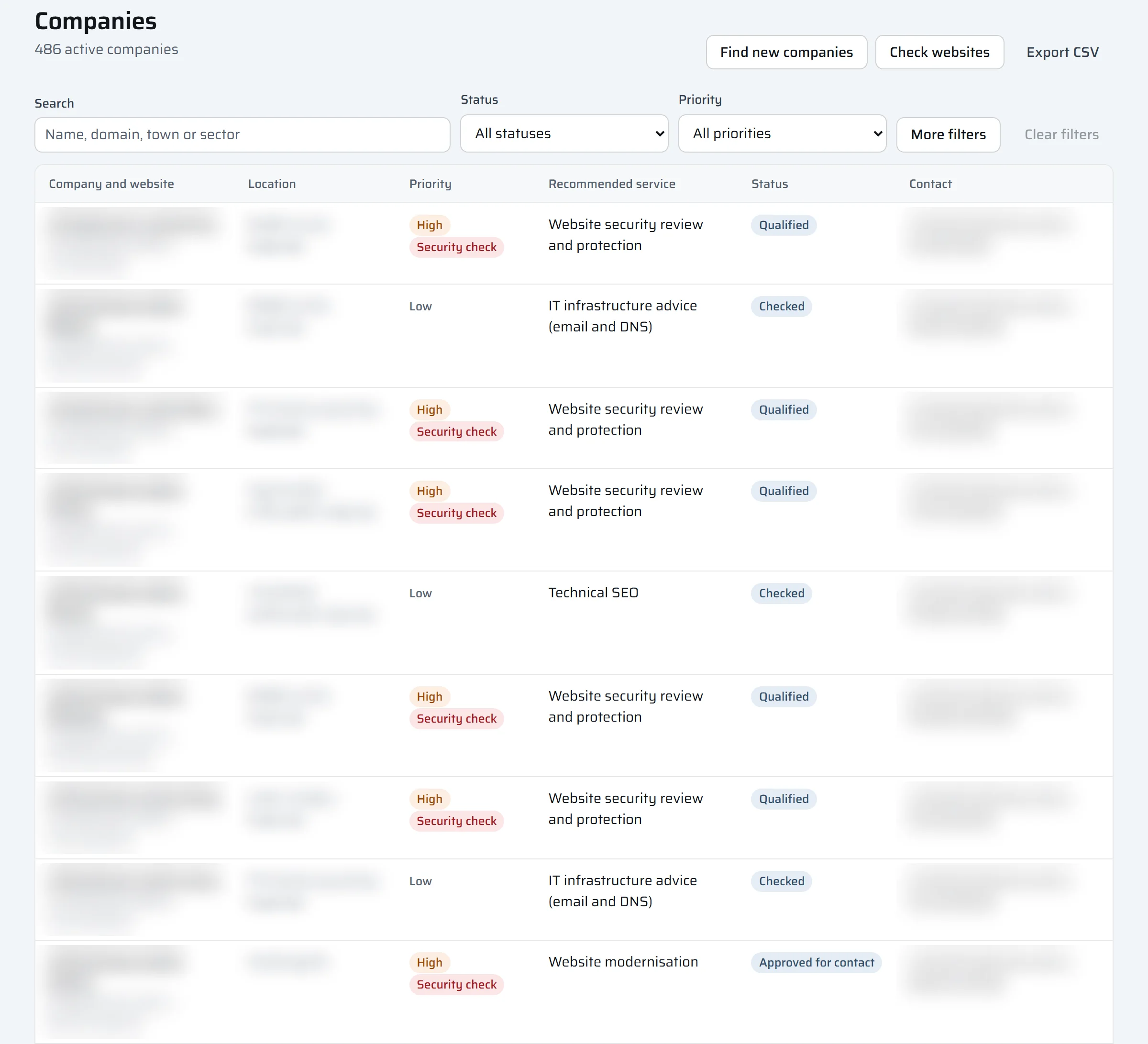
Companies, statuses and priorities provide a starting point for choosing the next activity.
Drafts remain available for review and editing. Approval alone does not send a message.
Algorithms handle search, information collection and result organisation. The CRM, notes and tasks also work without AI. If you want help with analysis or preparing communication, you can choose how AI processing is provided.
An AI suggestion is not a final decision. Your team checks summaries, assessments and drafts and decides how to communicate. Additional AI capabilities can also be considered later.
For the first conversation, tell us what you would like to make easier for your team or what business opportunities you are looking for. You do not need to choose modules or know CRM systems in advance. We will show you OrganizeIT, help select a useful starting setup and guide you through setup, training and everyday use.
Which companies are you looking for, which tasks will you track and who takes responsibility? These choices shape the initial setup.
We examine search sources, user roles and your chosen approach with or without AI. Existing data is reviewed before assessing transfer options.
We demonstrate a practical example, explain everyday use and gather feedback for the adjustments needed.
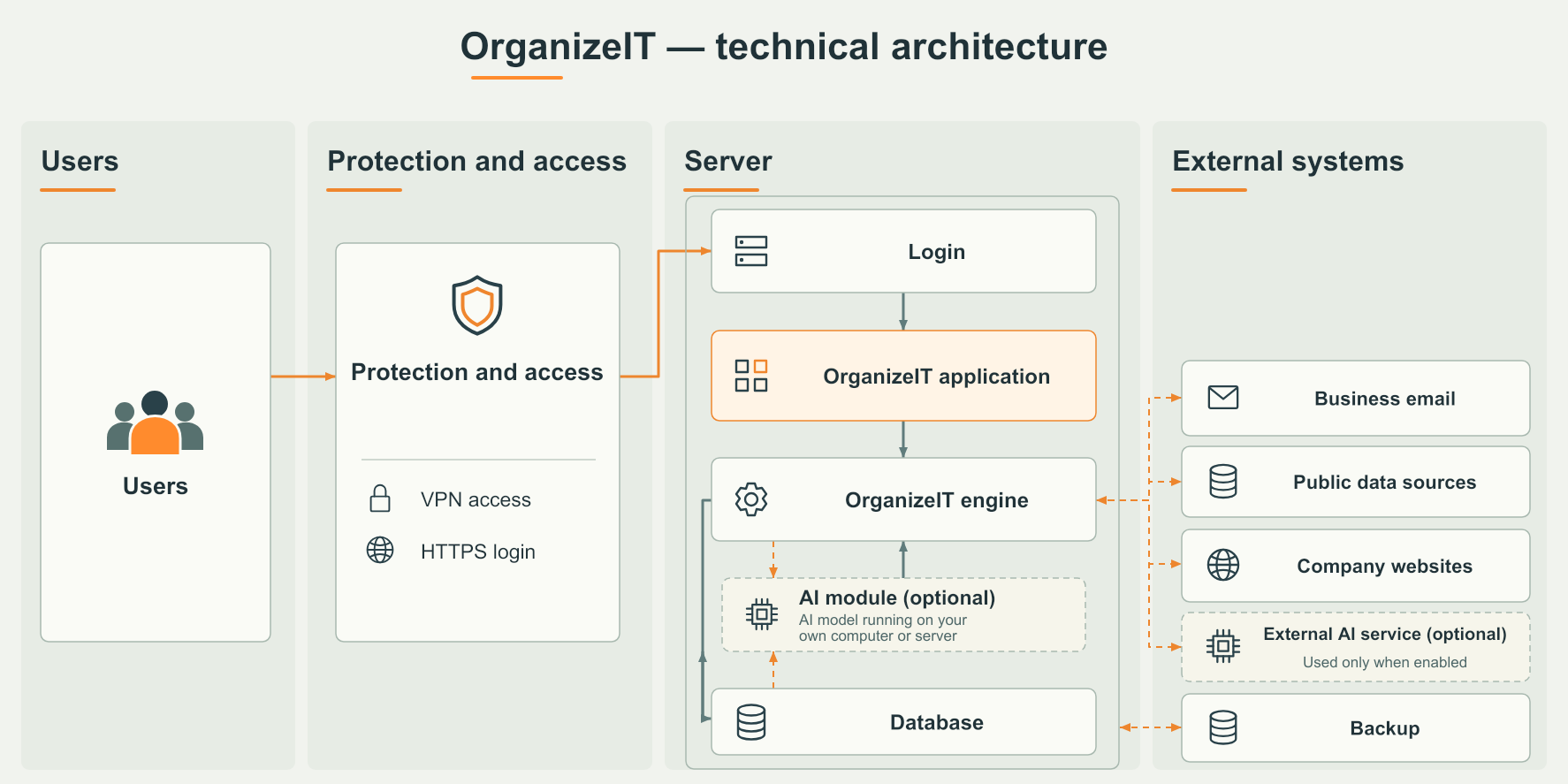
The diagram shows how users access the application and how the engine, database and external sources connect. AI is an optional addition through a local model or external service. The final setup and access arrangements follow your team’s needs.
 Enlarge diagram
 Lead engine. CRM. Optional AI.